
Reading log for Android
Keep track of what you read.
Log your books and your page, watch your progress, and keep your reading history. Works offline.
- No ads
- Offline-first
- Your data stays private
How it works
Three small gestures to keep the trace of your reading, without turning the experience into a competition.
- 01
Add your book
Scan the barcode or type the title and author.
Auto-fill from Google Books
- 02
Note your page
In under ten seconds, from your library.
Notes and rating on completion
- 03
Watch your progress
Percent, history, and stats by month and year.
Quiet ink-and-paper charts
Features built for readers
Designed without gimmicks: no dark-pattern retention tricks. Every detail responds to the tangible pleasure of reading.
Offline
Log on the bus or the plane; it syncs when you reconnect.
Offline-first, native
ISBN scanner
Data and cover pulled automatically from Google Books.
Fast recognition
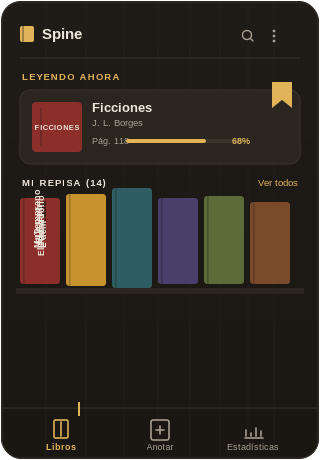
Your shelf
Your books as spines, sorted by status.
Spine colour assigned automatically
Statistics
Pages per week and per month, books finished per year.
Typographic clarity
Cloud backup
Your books on every device, signed in with your account.
Background sync
Start as a guest
No sign-up. Create an account whenever you want.
Zero onboarding friction
Designed with texture and quiet
An interface that calls to mind a notebook bound in linen.
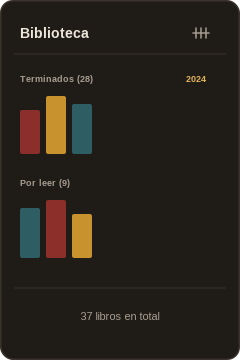
Library
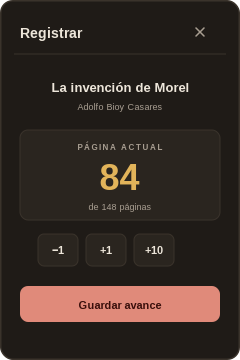
Log a page
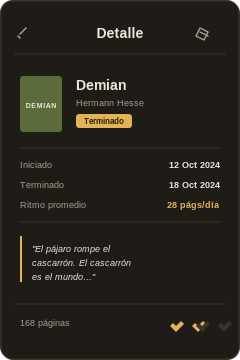
Book detail
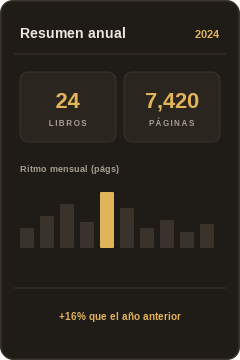
Statistics
Absolute privacy
Your readings are yours
No one else sees your books. We sell no data and show no ads. You can delete your account whenever you want.
Frequently asked questions
Everything you need to know before you start your logbook.
Can I read books in Spine?
No. Spine is a reading log: it tracks your books and your progress. You read wherever you like.
Does it need internet?
No. You can log your books and progress offline. You only need a connection to sync or fetch covers.
What if I do not use an account?
You can enter as a guest: your history stays on the device and is not synced to any server. If you later want cloud backup, you can create an account with your email (verified with a 6-digit code) or sign in with Google through Credential Manager.
Is it available for iPhone?
Spine is Android only for now. iOS is not on the near roadmap.
How do I delete my account?
Use the delete account page or write to hola@spine.luisangel.dev and we will erase your data.
Your next page is waiting.
Get Spine and turn every book you read into a quiet record.